

MoveIt Integration#
SRMP MoveIt! Plugin Demo#
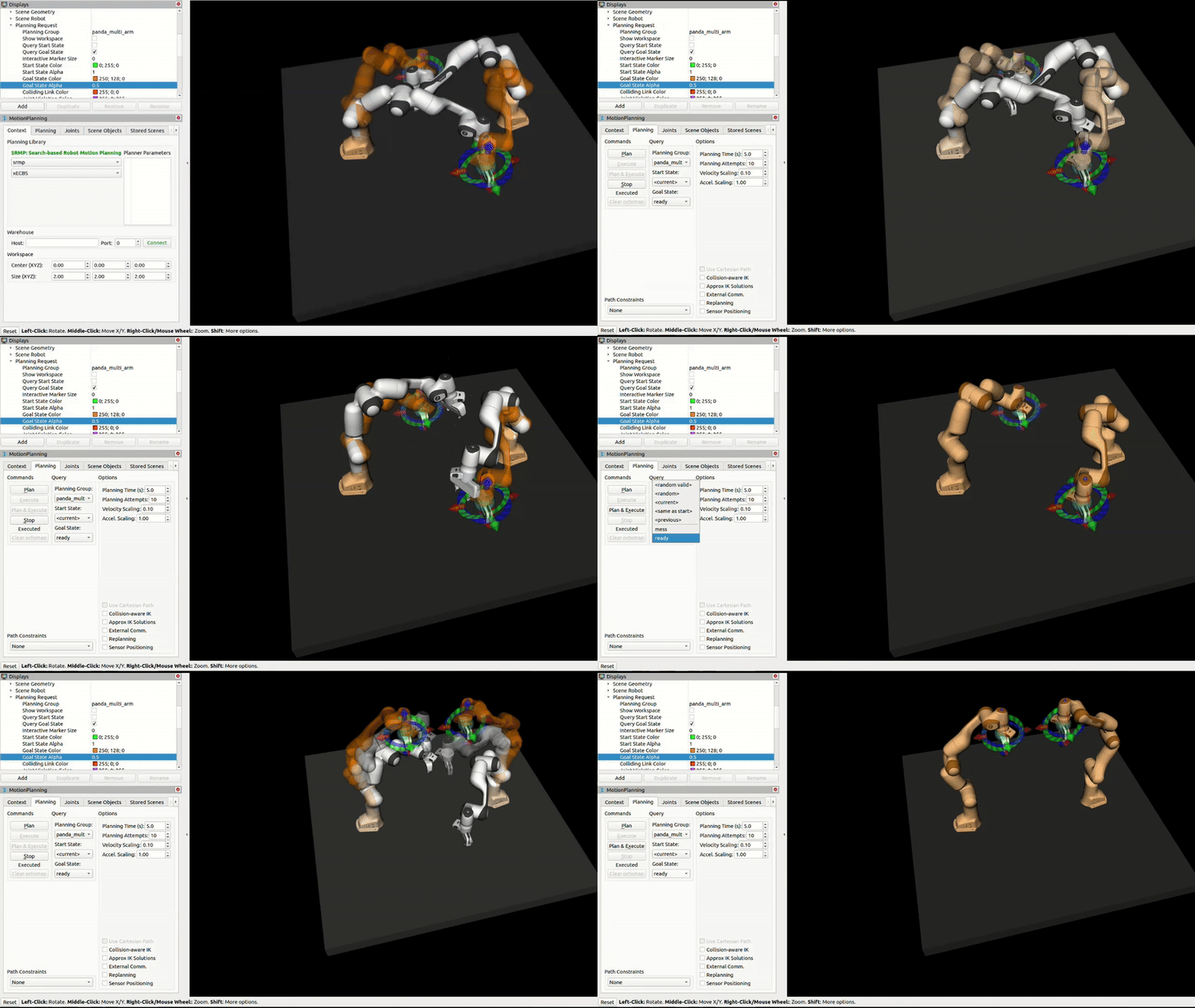
SRMP provides seamless integration with MoveIt through a plugin. We provide two ways to set up SRMP with MoveIt! The first is a pre-configured Docker container. This package contains everything you need to run SRMP with MoveIt, including the SRMP libraries, MoveIt planners, and a pre-built user workspace. The second is a ROS package that you can install and use in your existing ROS workspace. Let’s start with the Docker container.
Dockerized SRMP MoveIt! Plugin#
Download Docker Package#
You can download the complete SRMP MoveIt! Docker package here:
Size: ~44MB | Includes MoveIt, SRMP libraries, and pre-built workspace
What’s Included#
MoveIt: Complete MoveIt installation with all planners and tools (ROS, Ubuntu 20.04)
SRMP Libraries: Full SRMP implementation with MoveIt plugin
User Workspace: Pre-built workspace with SRMP MoveIt plugin and resources
RViz: ROS visualization tool for robot simulation
Robot Configuration: Panda robot configuration for testing and development
Quick Start#
Prerequisites#
Docker installed on your system
Installation Steps#
- Extract the package:
unzip srmp-docker.zip
cd docker_release
- Build the Docker image:
./build-srmp-docker.sh
Note
This may take 10-15 minutes on first build as it downloads and compiles all dependencies.
- Run the container:
./run-srmp-docker.sh
- Set up the workspace (inside the container):
# Navigate to the workspace
cd /workspace/srmp_user_ws

# Build the workspace
catkin build

# Source the workspace
source devel/setup.bash
- Test SRMP with MoveIt: this command will start the MoveIt! demo with the Panda robot and show RViz.
# Launch the demo with Panda robot
roslaunch panda_two_moveit_config demo.launch
Once the container is running and the workspace is set up, you can use SRMP for motion planning:
Installing the SRMP MoveIt! Plugin Locally (No Docker)#
While the Docker solution is simpler and (likely) easier to use, we also provide a debian package that you can install and use in your existing ROS workspace.
Download Local Package#
You can download the SRMP MoveIt! local installation package here:
Size: ~44MB | Includes SRMP debian package and workspace
Prerequisites#
Ubuntu 20.04 (required for compatibility)
ROS Noetic installed and configured
MoveIt! installed in your ROS workspace
Standard ROS development tools (catkin, rosdep, etc.)
Installation Steps#
- Extract the package:
unzip srmp-local.zip
cd local_release
- Install the SRMP debian package:
sudo dpkg -i srmp-moveit-plugin_*.deb
- Navigate to the provided workspace:
cd srmp_user_ws
- Build the workspace:
catkin build
- Source the workspace:
source devel/setup.bash
- Test SRMP with MoveIt:
# Launch the demo with Panda robot
roslaunch panda_two_moveit_config demo.launch