MoveIt Integration
SRMP MoveIt! Plugin Demo
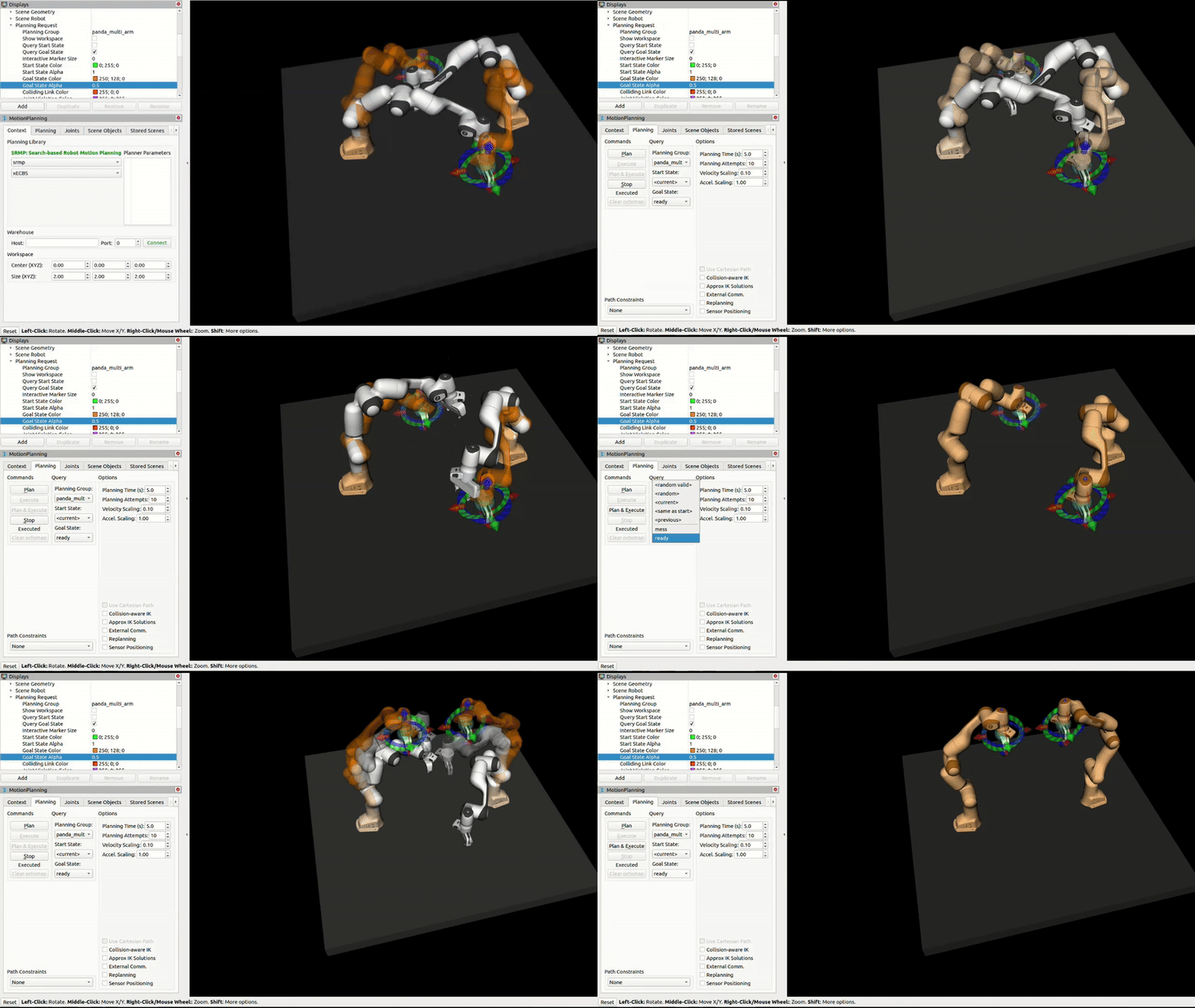
SRMP provides seamless integration with MoveIt through a plugin. We provide two ways to set up SRMP with MoveIt! The first is a pre-configured Docker container. This package contains everything you need to run SRMP with MoveIt, including the SRMP libraries, MoveIt planners, and a pre-built user workspace. The second is a ROS package that you can install and use in your existing ROS workspace. Let’s start with the Docker container.
Dockerized SRMP MoveIt! Plugin
Download Docker Package
You can download the complete SRMP MoveIt! Docker package here:
Size: ~44MB | Includes MoveIt, SRMP libraries, and pre-built workspace
What’s Included
MoveIt: Complete MoveIt installation with all planners and tools (ROS, Ubuntu 20.04)
SRMP Libraries: Full SRMP implementation with MoveIt plugin
User Workspace: Pre-built workspace with SRMP MoveIt plugin and resources
RViz: ROS visualization tool for robot simulation
Robot Configuration: Panda robot configuration for testing and development
Quick Start
Prerequisites
Docker installed on your system
Installation Steps
- Extract the package:
unzip srmp-docker.zip
cd docker_release
- Build the Docker image:
./build-srmp-docker.sh
Note
This may take 10-15 minutes on first build as it downloads and compiles all dependencies.
- Run the container:
./run-srmp-docker.sh
- Set up the workspace (inside the container):
# Navigate to the workspace
cd /workspace/srmp_user_ws

# Build the workspace
catkin build

# Source the workspace
source devel/setup.bash
- Test SRMP with MoveIt: this command will start the MoveIt! demo with the Panda robot and show RViz.
# Launch the demo with Panda robot
roslaunch panda_two_moveit_config demo.launch
Once the container is running and the workspace is set up, you can use SRMP for motion planning:
Installing the SRMP MoveIt! Plugin Locally (No Docker)
While the Docker solution is simpler and (likely) easier to use, we also provide a debian package that you can install and use in your existing ROS workspace.
Download Local Package
You can download the SRMP MoveIt! local installation package here:
Size: ~44MB | Includes SRMP debian package and workspace
Prerequisites
Ubuntu 20.04 (required for compatibility)
ROS Noetic installed and configured
MoveIt! installed in your ROS workspace
Standard ROS development tools (catkin, rosdep, etc.)
Installation Steps
- Extract the package:
unzip srmp-local.zip
cd local_release
- Install the SRMP debian package:
sudo dpkg -i srmp-moveit-plugin_*.deb
- Navigate to the provided workspace:
cd srmp_user_ws
- Build the workspace:
catkin build
- Source the workspace:
source devel/setup.bash
- Test SRMP with MoveIt:
# Launch the demo with Panda robot
roslaunch panda_two_moveit_config demo.launch